Overview
This section of i.LEVEL is accessed via File > Preferences:
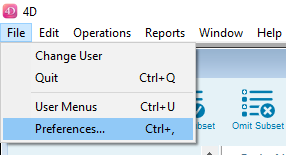
Preferences are used to set up foundation elements, such as size ranges and colours for products, company details, i.LEVEL B2B, warehouse and shipping integration settings, VAT, exchange rates and so on.
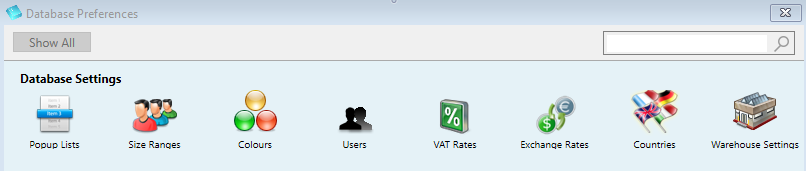
When the Preferences window opens, you will see a number of icons representing the different preferences available. Here is a sample image:
Note!
Some Preference options are not standard but are dependent on your particular i.LEVEL setup and feaures you have enabled. So there may be some covered in this guide that you don't have in your system.
Guides for the Preferences are accessed by clicking on 'Database Settings' in the navigation menu on the left, to open the submenu: